Magnetic Button New
A button that leans toward the pointer on a spring, with a label that moves further for depth.
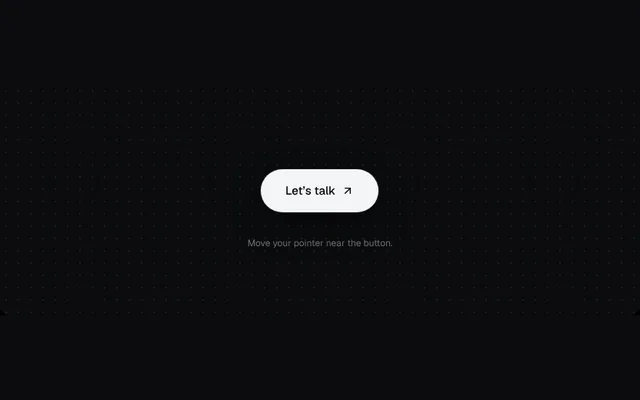
Installation
01
Install with the shadcn CLI. The NiceUI theme comes along the first time.
$ npx shadcn@latest add https://niceui.dev/r/effects-magnetic-button.json02
Or copy the source below. Dependencies: lucide-react.
Source
components/niceui/effects/MagneticButton.tsx
import { useEffect, useRef, type ReactNode } from 'react';
import { ArrowUpRight } from 'lucide-react';
import { cn } from '@/lib/cn';

export type MagneticButtonProps = { children: ReactNode; strength?: number; className?: string; onClick?: () => void };

/** A button that leans toward the pointer with a spring; its label moves a little further for depth. */
export function MagneticButton({ children, strength = 0.35, className, onClick }: MagneticButtonProps) {
  const wrap = useRef<HTMLDivElement>(null);
  const btn = useRef<HTMLButtonElement>(null);
  const label = useRef<HTMLSpanElement>(null);

  useEffect(() => {
    const el = wrap.current;
    if (!el || window.matchMedia('(prefers-reduced-motion: reduce)').matches) return;
    let tx = 0, ty = 0, x = 0, y = 0, vx = 0, vy = 0, raf = 0;
    const loop = () => {
      vx = (vx + (tx - x) * 0.12) * 0.78;
      vy = (vy + (ty - y) * 0.12) * 0.78;
      x += vx;
      y += vy;
      if (btn.current) btn.current.style.transform = `translate(${x}px, ${y}px)`;
      if (label.current) label.current.style.transform = `translate(${x * 0.45}px, ${y * 0.45}px)`;
      raf = Math.abs(vx) + Math.abs(vy) + Math.abs(tx - x) + Math.abs(ty - y) > 0.05 ? requestAnimationFrame(loop) : 0;
    };
    const kick = () => { if (!raf) raf = requestAnimationFrame(loop); };
    const move = (e: PointerEvent) => {
      const r = el.getBoundingClientRect();
      tx = (e.clientX - (r.left + r.width / 2)) * strength;
      ty = (e.clientY - (r.top + r.height / 2)) * strength;
      kick();
    };
    const leave = () => { tx = 0; ty = 0; kick(); };
    el.addEventListener('pointermove', move);
    el.addEventListener('pointerleave', leave);
    return () => {
      cancelAnimationFrame(raf);
      el.removeEventListener('pointermove', move);
      el.removeEventListener('pointerleave', leave);
    };
  }, [strength]);

  return (
    <div ref={wrap} className="inline-flex p-6">
      <button ref={btn} onClick={onClick} className={cn('focus-ring inline-flex h-14 items-center rounded-full bg-ink-50 px-8 text-[15px] font-medium text-ink-950 shadow-pop will-change-transform active:scale-[0.97]', className)}>
        <span ref={label} className="flex items-center gap-2 will-change-transform">{children}</span>
      </button>
    </div>
  );
}

export function MagneticButtonDemo() {
  return (
    <div className="flex flex-col items-center gap-2">
      <MagneticButton>
        Let’s talk <ArrowUpRight className="h-4 w-4" />
      </MagneticButton>
      <p className="text-xs text-ink-500">Move your pointer near the button.</p>
    </div>
  );
}