Ripple Button New
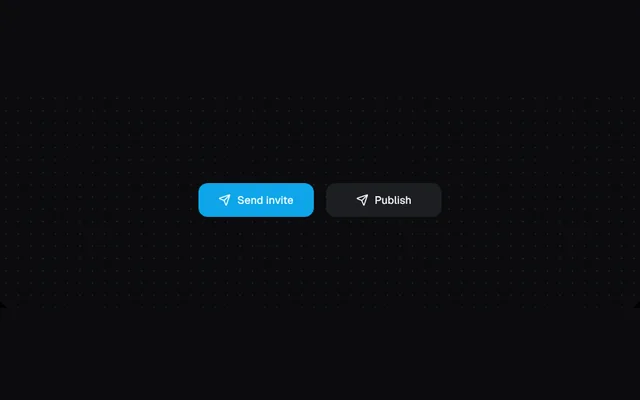
Ripples spread from the click point, then the button moves through loading and success.
Installation
01
Install with the shadcn CLI. The NiceUI theme comes along the first time.
$ npx shadcn@latest add https://niceui.dev/r/effects-ripple-button.json02
Or copy the source below. Dependencies: lucide-react.
Source
components/niceui/effects/RippleButton.tsx
import { useEffect, useRef, useState, type MouseEvent } from 'react';
import { Check, LoaderCircle, Send } from 'lucide-react';
import { cn } from '@/lib/cn';

const css = `@keyframes nui-ripple{from{transform:scale(0);opacity:.45}to{transform:scale(1);opacity:0}}`;
type State = 'idle' | 'loading' | 'success';

export type RippleButtonProps = { onAction?: () => Promise<void> | void; label?: string; className?: string };

/** Ripples spread from the click point, then the button moves through loading and success. */
export function RippleButton({ onAction, label = 'Send invite', className }: RippleButtonProps) {
  const [ripples, setRipples] = useState<{ id: number; x: number; y: number; size: number }[]>([]);
  const [state, setState] = useState<State>('idle');
  const timers = useRef<number[]>([]);
  useEffect(() => () => timers.current.forEach(clearTimeout), []);

  const click = async (e: MouseEvent<HTMLButtonElement>) => {
    const r = e.currentTarget.getBoundingClientRect();
    const size = Math.max(r.width, r.height) * 2.2;
    const id = Date.now();
    setRipples((rs) => [...rs, { id, x: e.clientX - r.left - size / 2, y: e.clientY - r.top - size / 2, size }]);
    timers.current.push(window.setTimeout(() => setRipples((rs) => rs.filter((p) => p.id !== id)), 700));
    if (state !== 'idle') return;
    setState('loading');
    await (onAction ? onAction() : new Promise((res) => timers.current.push(window.setTimeout(res, 1200))));
    setState('success');
    timers.current.push(window.setTimeout(() => setState('idle'), 1800));
  };

  return (
    <button
      onClick={click}
      aria-live="polite"
      className={cn(
        'focus-ring relative inline-flex h-11 min-w-[150px] items-center justify-center gap-2 overflow-hidden rounded-xl px-5 text-sm font-medium text-white transition-colors duration-300',
        state === 'success' ? 'bg-emerald-500' : 'bg-brand-500 hover:bg-brand-400',
        className,
      )}
    >
      <style>{css}</style>
      {ripples.map((p) => (
        <span key={p.id} aria-hidden className="pointer-events-none absolute rounded-full bg-white motion-reduce:hidden" style={{ left: p.x, top: p.y, width: p.size, height: p.size, animation: 'nui-ripple .7s ease-out forwards' }} />
      ))}
      <span key={state} className="relative flex items-center gap-2 animate-fade-in">
        {state === 'idle' && (<><Send className="h-4 w-4" /> {label}</>)}
        {state === 'loading' && (<><LoaderCircle className="h-4 w-4 animate-spin" /> Sending…</>)}
        {state === 'success' && (<><Check className="h-4 w-4" /> Sent</>)}
      </span>
    </button>
  );
}

export function RippleButtonDemo() {
  return (
    <div className="flex flex-wrap items-center justify-center gap-4">
      <RippleButton />
      <RippleButton label="Publish" className="bg-ink-800 hover:bg-ink-700" />
    </div>
  );
}